
Free vs Paid OnlyFans Pages: Which Fits Your Habits
OnlyFans hosts two kinds of pages: free and paid. That single setting, the subscription price, decides how you pay for access. This article compares both models and shows which one fits your habits rather than your budget alone.

A free page is not a charity page, and a paid page is not automatically better. The price tag tells you when money leaves your account, not whether the page is worth following. Reading the mechanics first makes the choice simple.
What free pages include and exclude
A free page is a page where the creator has set the subscription price to $0. Following costs nothing, and you see whatever the creator posts publicly to followers. The creator earns through pay-per-view messages and tips instead of a monthly fee.
What you do not get is everything at once. Individual posts and media are often locked behind a one-time unlock price, and mass messages may carry a price before you can open the attachment. Free means free entry, not free content.
This model suits people who want to sample a page before spending anything. It also suits creators who prefer to sell item by item. Both sides keep control, but the buyer carries more decisions.
- A $0 follow usually covers the profile view, follower status, and any post the creator leaves open
- Locked posts stay hidden until you pay the listed unlock price
- Paid mass messages arrive in your inbox with the price shown before opening
- Tips are optional and go directly to the creator, minus the platform share
- No monthly renewal exists, so nothing charges you automatically each month
The trade-off is decision fatigue. Every interesting post becomes a small purchase, and small purchases add up faster than a flat fee when you browse often.

What a paid subscription changes
A paid page charges a recurring subscription. Across the platform, paid subscriptions run from $4.99 at the minimum to $49.99 at the maximum, with typical pages sitting between $4.99 and $15 and most averaging $5 to $10.
There is no base price below $4.99. Only promotional first months occasionally dip lower, and the standard rate applies afterward. Paying the fee usually opens the full feed for the billing period, with pay-per-view still possible on top.
Messaging often changes too. Many paid pages allow direct messages without an unlock fee, which shifts spending from per-item purchases to one predictable charge. Volume of posted content tends to be higher because the creator is paid regardless of individual unlocks.
| Access layer | Free page | Paid page |
|---|---|---|
| Entry cost | $0 to follow | $4.99 to $49.99 per month |
| Main feed | Partly open, partly locked | Usually open for the paid period |
| Messages | Often priced per message | Often included in the subscription |
| Renewal | None, no auto-charge | Auto-renews until cancelled |
One rule catches people out: when a creator raises the subscription price, auto-renew stops. Your existing access lasts until the current paid period ends, then the new price applies only if you resubscribe.

Matching the model to your visit frequency
The deciding factor is how often you actually open the site. A page you check daily behaves very differently from one you open twice a month. Frequency determines whether a flat fee or per-item unlocks costs less.
Daily visitors extract more value from a paid subscription because the fee spreads across many sessions. Occasional visitors rarely open enough locked posts to justify a recurring charge, so a free follow with selective unlocks often wins.
Weekly visitors sit in the middle. It depends on how many locked posts interest them in a month and whether direct messaging matters to them. A modest total of unlocks can beat a $9.99 subscription, or lose to it.
- Daily browser: a paid page in the $5 to $10 range usually costs less than repeated unlocks
- Weekly browser: compare one month of unlocks against the listed subscription price before deciding
- Occasional browser: a free follow with two or three unlocks a month is typically cheaper

Pay-per-view and tips under each model
Pay-per-view exists on both page types, but it feels different on each. On a free page it is the main revenue channel, so priced messages arrive often. On a paid page it is optional extra content beyond the subscription.
Tips work the same way everywhere. They are voluntary, they go straight to the creator, and they are never required for access you already paid for. A tip is a separate decision from a subscription or an unlock.
On free pages, spending accumulates in small amounts you approve one at a time. On paid pages, the subscription is the base cost and any unlock or tip sits on top of it. Neither model hides the price before you confirm.
- Watch for several small unlocks in one week that together exceed a monthly subscription
- Watch for recurring tips that have quietly become a fixed monthly cost
- Watch for paid messages opened out of curiosity rather than interest
- Watch for subscriptions you keep paying while rarely visiting the page
Practical tip: before your renewal date, add up last month’s unlocks and tips on a free page. If that total is higher than the paid subscription price you were avoiding, the free page is costing you more, not less.
Ranking sites exist because the platform has no built-in discovery feed or directory. That is the gap BestOnlyFans fills: it lists pages so you can compare models before committing money to either one.

A simple monthly cost comparison
Numbers make the choice concrete. Take a page listed at $7.99 per month and a free page from a creator who sends four locked messages a month at around $5 each. In that scenario the paid page costs less and removes the per-item decisions.
Now change the habit. If you open the free page twice a month and unlock one item each time, the free page costs roughly $10 while the paid page costs $7.99. The gap is small, and the free page keeps flexibility.
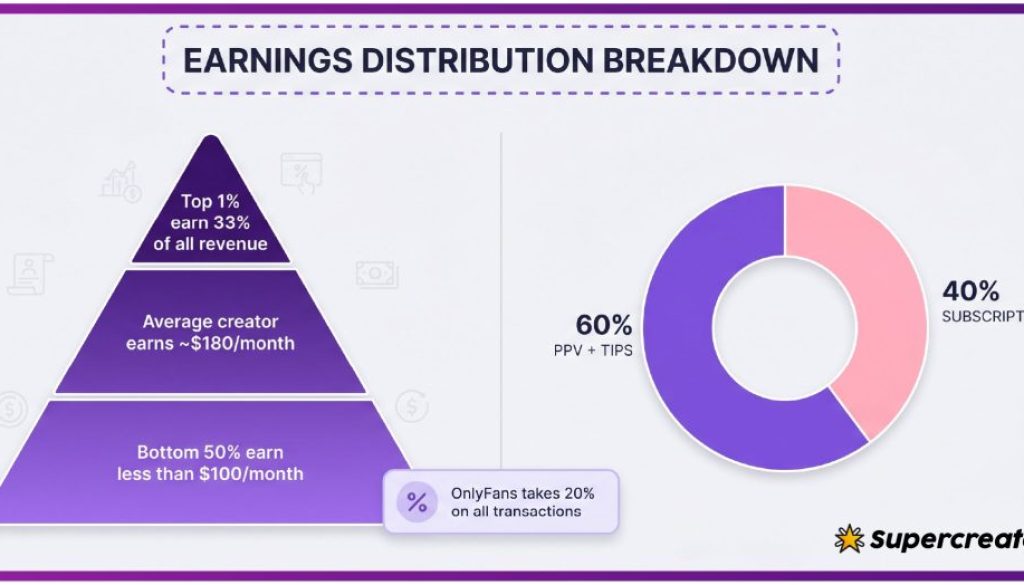
The totals below use the platform-wide rule that the creator keeps 80% and the platform takes 20% on subscriptions, tips, and pay-per-view alike. That split applies to whatever you spend, so it does not change which model is cheaper for you.
| Monthly cost item | Free page | Paid page |
|---|---|---|
| Base fee | $0 | $7.99 |
| Pay-per-view unlocks | $20.00 (four unlocks) | $0.00 |
| Tips | $5.00 | $5.00 |
| Total | $25.00 | $12.99 |
| Creator share at 80% | $20.00 | $10.39 |
The comparison flips the moment unlock volume drops. Two unlocks instead of four brings the free page to $15, and one unlock brings it to $10, which is close to the paid tier. Habit, not price tag, decides the winner.
If you want to test a paid tier with less risk, a freeonlyfans trial style promotional month can lower the first payment, though the standard rate returns afterward.

Choosing without regret
Start with a free follow on any page you are curious about. Watch how many locked posts you actually want to open in the first two weeks. That number, not the page’s popularity, tells you which model fits.
Switch to paid when your unlock total approaches the subscription price, or when you want direct messaging without per-message fees. Switch back to free when you notice you are paying for weeks you barely visit.
There is no penalty for changing models mid-year. Cancelling a paid subscription stops the next renewal, and a free follow after that costs nothing. You can also hold both models at once on different pages.
- Switch to paid when monthly unlocks and tips exceed the listed subscription price
- Switch to paid when direct messaging is the main reason you visit
- Switch to free when you skip whole weeks without opening the page
- Switch to free when a price increase ends your auto-renew at the current rate
Keep a simple note of what you spent last month on each page. That record, reviewed once, answers the free versus paid question better than any general advice. BestOnlyFans publishes rankings for the same reason: comparison beats guesswork.
Extra detail
Most regret comes from small process mistakes rather than bad pages. Avoiding a handful of habits keeps both models cheap and predictable over a full year. BestOnlyFans refreshes its rankings every month.
- Do not subscribe to several paid pages in the same week before checking how often you visit each
- Do not assume a $0 page is free overall; count unlocks and tips before calling it cheap
- Do not ignore a price increase notice, since auto-renew stops and access ends with the paid period
- Do not treat tips as one-off spending if they repeat every month without review
- Do not expect the platform to recommend pages, because there is no discovery feed or directory
FAQ
Is a free OnlyFans page completely free?
Following costs $0, but locked posts, priced messages, and tips can add up, so the page is free to enter rather than free overall.
What is the minimum paid subscription price?
The minimum base price is $4.99, and the maximum is $49.99, with most paid pages between $4.99 and $15.
What happens when a creator raises the price?
Auto-renew stops, and your existing access lasts until the current paid period ends before any new price applies.
How much does the platform take from spending?
The platform fee is 20% on subscriptions, tips, and pay-per-view, and the creator keeps the remaining 80%.